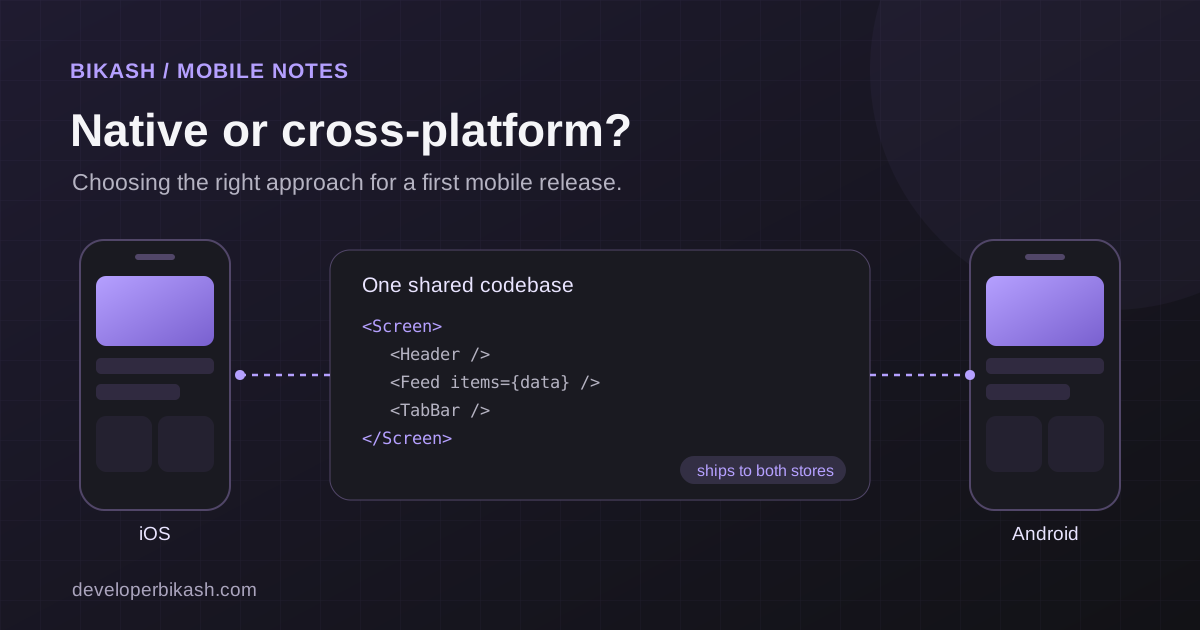
When startups weigh cross-platform vs native mobile apps in 2026, cross-platform is usually the better choice for a first app. A framework like React Native or Flutter lets one team ship to both iOS and Android from a single codebase, which usually means a lower budget and a faster launch. Native development in Swift and Kotlin earns its extra cost when the product depends on top-end performance, deep hardware access or the newest platform features.
The choice affects your budget, your launch date, how the app feels, and who you can hire to maintain it later. Here's how I walk founders through it.
What native app development means
Native development means building a separate app for each platform with that platform's own language and tools: Swift with Xcode and Apple's frameworks for iOS, Kotlin with Android Studio and Google's frameworks for Android.
Native apps get new operating system features first, have direct access to the camera, sensors, Bluetooth and biometrics, and follow each platform's conventions without extra effort. The cost is that you're building two apps. The iOS and Android codebases share no UI code, so most features are built, tested and maintained twice.
What cross-platform development means
Cross-platform development uses one codebase to produce apps for both iOS and Android. The two frameworks most startups consider are React Native and Flutter.
React Native, maintained by Meta, uses JavaScript or TypeScript and the React component model. If your web app is built with React, your team already knows much of the approach, and you can share some logic between web and mobile. It renders real native UI components on each platform.
Flutter, from Google, uses the Dart language and draws its own interface rather than using the platform's components. That gives you a very consistent look on both platforms, though you may need extra work where users expect platform-specific behavior.
A third option, Kotlin Multiplatform, shares business logic between platforms while letting you keep native interfaces. It suits teams that want native UI but don't want to write the same logic twice.
Cross-platform vs native at a glance
| Factor | Cross-platform | Native |
|---|---|---|
| Codebases | One shared codebase, plus some platform-specific code | Two, one per platform |
| Team | One team or one developer can cover both | Swift and Kotlin skills, often separate people |
| Time to first release | Usually shorter | Usually longer |
| Performance | Fine for most business and consumer apps | Highest ceiling for graphics and heavy processing |
| New OS features | Sometimes need native modules or a wait for support | Available as soon as Apple or Google ships them |
| Ongoing maintenance | Most fixes made once | Most fixes made twice |
How the choice affects cost
Cost is usually the first question, and it's where the difference shows most. With native, you're paying for two implementations of the same feature set, plus testing and bug fixing on both. With cross-platform, most of that work happens once.
The savings aren't total. Cross-platform apps still need testing on real iPhones and Android phones, some screens need platform-specific adjustments, and store submissions happen twice either way. Even so, for the same set of features a single shared codebase usually costs less to build and less to keep running.
The bigger cost drivers are often elsewhere: the number of user types, payments, real-time features, offline support and the backend behind the app. For reference, my cross-platform builds for iOS and Android start at $12,000 and usually take 8 to 14 weeks, plus app store review. For wider market ranges, see how much it costs to build an MVP in 2026.
Speed to market
A startup's first app is there to learn from real users, so getting it into their hands sooner matters. Building each feature once is the main reason cross-platform launches faster. Both React Native and Flutter also reload changes almost instantly during development, which shortens the loop between a design tweak and seeing it on a device.
Native takes longer because there's more to build, even with an experienced team working on both platforms in parallel. Plan for app store review on either path, since it adds time regardless of how the app was built. For a fuller picture of what shapes a schedule, read how long it takes to build an app.
Performance: where native still wins
Native code has the highest performance ceiling. For mobile games with complex 3D graphics, augmented reality, heavy on-device video or audio processing, or very demanding animations, that ceiling can matter.
For most startup apps, it doesn't. Marketplaces, booking apps, fitness and health trackers, content readers, social features and internal tools are mostly forms, lists, images and API calls, and both frameworks handle them well. Flutter's own rendering engine keeps animations smooth, and React Native's newer architecture talks to native code more directly than the old bridge did. When a cross-platform app does hit a performance limit, you can usually write that one piece natively and keep the rest shared.
A first app that feels slow often has a slow backend, oversized images or too many network calls behind it, so check those before blaming the framework.
When to choose cross-platform
Cross-platform is the right default for most first apps. It fits especially well when:
- You need to be on iOS and Android soon, and you don't want to fund two builds.
- You're still finding product-market fit, so features will change often and you want each change made once.
- The app is mostly screens, forms, feeds and data from your own API.
- Your web product uses React and you want skills and some code to carry across to mobile.
- One developer or a small team will maintain it after launch.
When to choose native
Native is worth the extra cost and time when:
- Performance is the product, as with games, AR, real-time media or heavy on-device processing.
- You depend on deep hardware or OS integration, such as advanced camera control, background Bluetooth, health data, widgets or features Apple and Google have only just released.
- You're building for one platform only, so there's nothing to share across.
- You've validated the product, have the budget and team for two codebases, and want each platform to feel fully at home.
The choice isn't permanent. Some teams launch cross-platform and later rewrite the screens that need it in native code, keeping the rest shared.
React Native or Flutter?
Both are mature and both are used in production apps on both stores. I'd lean toward React Native if your team already works in JavaScript or TypeScript, if you have a React web app, or if you want the app to use each platform's own components. I'd lean toward Flutter if you want a very consistent custom design on both platforms and are happy for the team to work in Dart.
There is a third option worth knowing: Capacitor, which packages a web app as native Android and iOS apps and reaches device features through plugins. It suits products that already have a strong web app or a web-focused team. I have shipped with both approaches: My InstaFit runs on Capacitor and News Briefing is built with Flutter.
The developer matters more than the framework. Someone who has shipped and maintained apps in one of them will usually do a better job than someone learning the "right" one on your project.
What stays the same whichever you pick
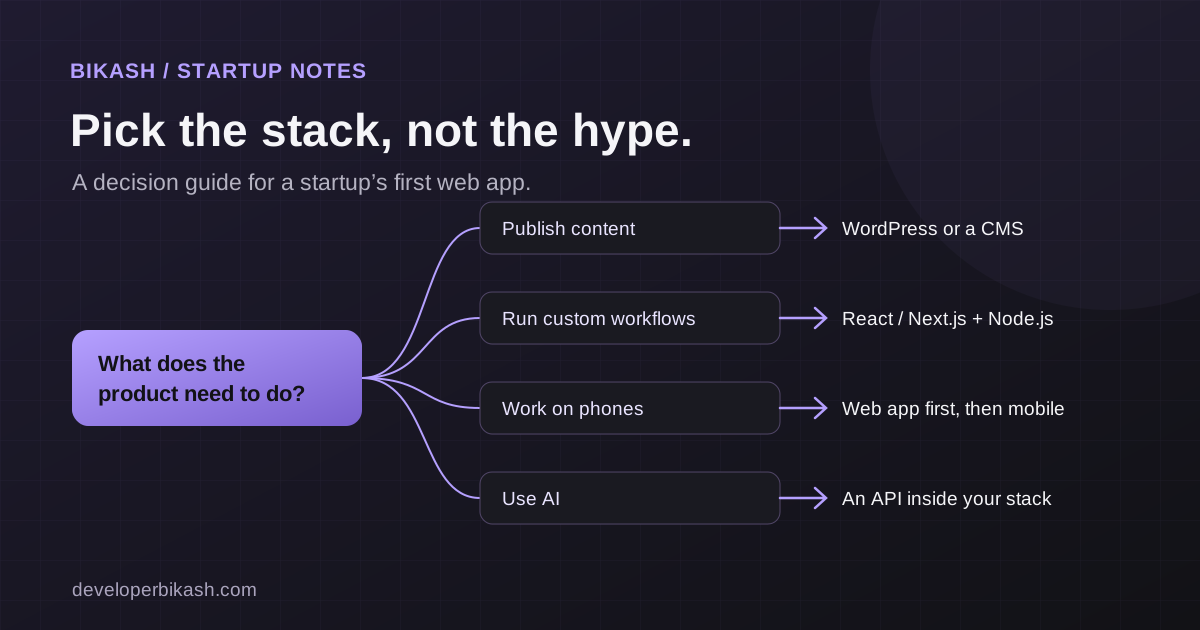
Founders sometimes treat the framework as the whole decision. Much of the work is identical either way: the backend and API, authentication, push notifications, analytics, crash reporting, app store accounts and listings, privacy policies, and testing on real devices. These deserve as much attention in a proposal as the framework choice. If you're choosing the rest of your stack at the same time, my guide to choosing a tech stack for your startup covers it.
Which should your startup choose?
If your app is a typical business or consumer product and you need both platforms, start cross-platform. Pick React Native or Flutter based on your team's skills and design goals, and keep the option of native modules for the parts that need them.
If performance or deep hardware access is the core of the product, or you're only targeting one platform, go native from the start.
Also ask whether you need both stores on day one. My InstaFit, a fitness and coaching app I built with Capacitor, is live on Google Play and the App Store. News Briefing, which I built with Flutter, launched on Google Play first; its iOS version is in App Store review as of October 2026. Launch on whichever platforms your first users actually use. With a shared codebase, adding the second store later is a release, not a rebuild.
Frequently asked questions
Is cross-platform development cheaper than native?
Usually, for the same feature set, because most of the app is built and maintained once instead of twice. Testing, store submissions and some platform-specific work still happen for both platforms.
Can I switch from cross-platform to native later?
Yes. You can rewrite individual screens or features natively while keeping the rest shared, or rebuild fully once the product and budget justify it. Keeping business logic in your backend makes either move easier.
Will users notice that my app is cross-platform?
In most business and consumer apps, no, provided it's built well and tested on real devices. Differences tend to show only in very demanding graphics or animation, or when an app ignores the conventions each platform's users expect.
Should I launch on iOS and Android at the same time?
Not necessarily. If your early users are mostly on one platform, launching there first can save time and money. With a cross-platform codebase, adding the second platform later is much less work than starting a new app.
If you're deciding how to build your app, I'll look at your idea, your budget and your timeline and give you a straight recommendation on cross-platform or native. See my mobile app development service, tell me about your project, or book a 30-minute call.