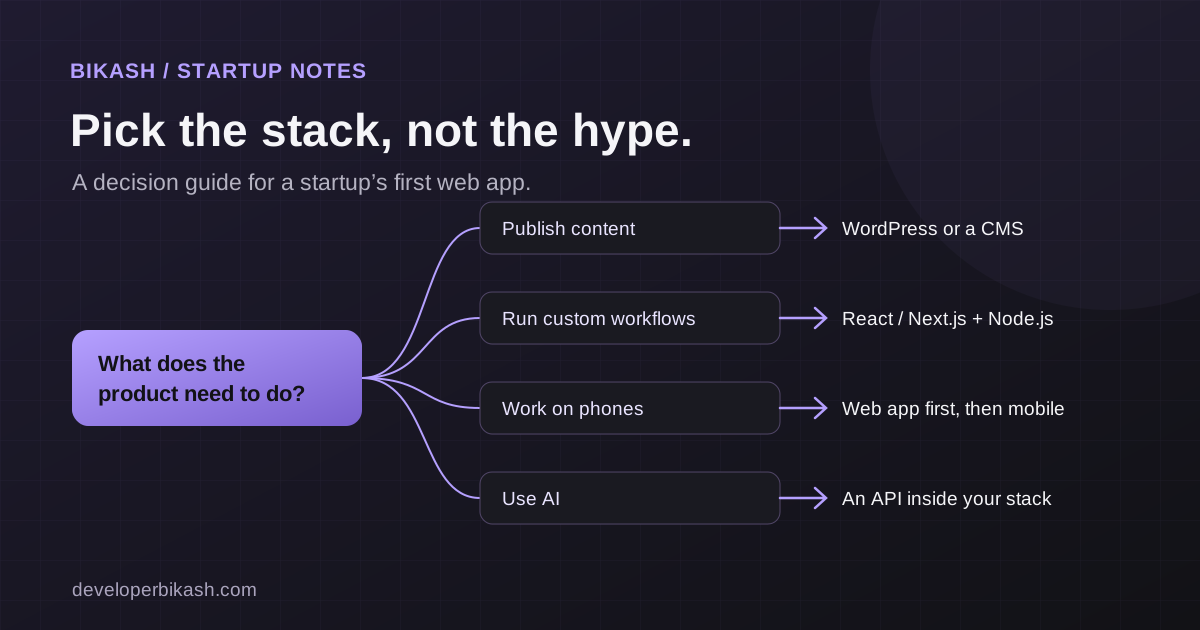
The right tech stack for your startup's first web app is the one that fits your product, budget and timeline, and that you can hire people to maintain. For most custom web apps, that means a mainstream JavaScript framework such as React with Next.js or Vue with Nuxt, a Node.js or Python backend, and a relational database like PostgreSQL or MySQL. If your product is mostly content, WordPress or a no-code builder may be all you need.
I'm a full-stack developer, and founders often ask me which stack to use. This is how I help them decide, written for the person paying for the build rather than the person writing the code.
Why choosing the right tech stack matters for a startup
A tech stack is the set of tools your product is built with: a frontend framework for what users see, a backend for the logic and data, a database, and the hosting that runs it all. Together they affect how fast the first version gets built, what it costs to run, and how easy it is to find developers later.
A wrong choice usually shows up in one of two ways. Either the product outgrows a tool that was too limited and needs a rebuild, or a simple idea gets built on complex architecture it didn't need, and the budget runs out before the product meets real users. Both are avoidable, and neither has much to do with which framework is fashionable this year.
Start with what the product needs
Before comparing tools, answer these questions about the product. They narrow the options faster than any feature list.
- Is it mainly publishing content, or do users log in and do work in it?
- Do public pages need to rank in Google, or is most of the app behind a login?
- Does it need real-time features, such as chat, live dashboards or notifications?
- Will AI or heavy data processing be central to the product?
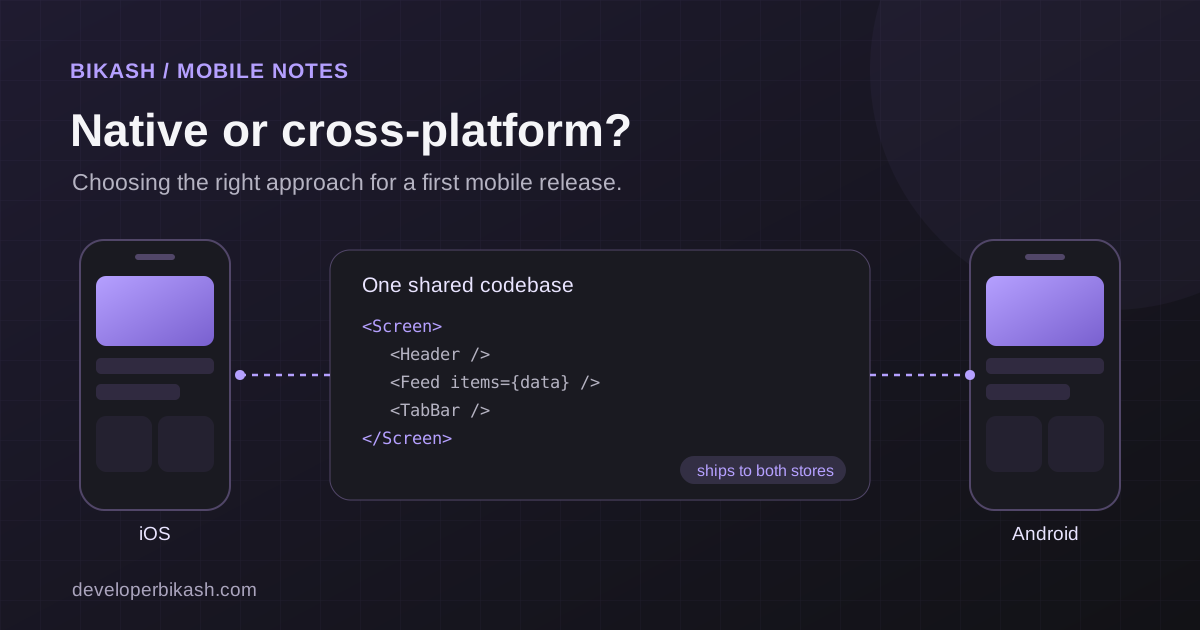
- Are Android and iOS apps likely in the next year or so?
- Who will maintain the code after launch: the same developer, a future hire or an agency?
If the answers point to content, sign-ups and enquiries, you may not need a custom app at all. I cover that decision in WordPress or a custom web app, so I won't repeat it here.
Frontend options
The frontend is the part of the product people use, so this choice affects the user experience and how quickly screens get built.
React and Next.js
React is the most widely used library for building interactive interfaces, which means a large pool of developers and ready-made components. Next.js is a framework built on React that adds routing and server rendering. Server rendering matters when public pages need to load quickly and be indexed by search engines. For a product with a marketing site and an app behind a login, Next.js is a common, sensible default.
Vue and Nuxt
Vue is another mainstream frontend framework, and Nuxt plays the same role for Vue that Next.js plays for React: routing, server rendering and a clear project structure. Several of my client projects use Nuxt, including the KAKR Labs product website and the KAKR Support system, with its ticketing, admin panel, email notifications and Claude-powered assistant. In practice, Next.js and Nuxt cover the same kinds of products. The better choice is often the one your developer, and your future hires, know well.
Angular
Angular is a more opinionated framework maintained by Google, popular in larger companies and enterprise software. Its strict structure helps big teams. For an early-stage product built by one or two people, it usually adds more ceremony than benefit, unless your team already knows it well.
Backend options
The backend holds the rules of your business: who can see what, what happens when an order is placed, which emails go out, how data is stored.
- Node.js lets the backend use JavaScript, the same language as the frontend, so one developer can move across the whole product easily. It handles real-time features well.
- Python has the strongest ecosystem for data processing and machine learning. If AI or analytics is the core of your product, it is often the right backend, or a separate service next to a Node.js backend. If you only plan to call an AI provider's API, either language works.
- PHP runs WordPress and many established frameworks. It is mature, cheap to host and has a large talent pool, which matters when you budget for long-term maintenance.
There are also managed backend platforms that provide a database, login and file storage as a service. They can speed up a first release. Before choosing one, check how you would export your data and what the bills look like as usage grows.
Databases: start relational
Most business data has clear relationships: users have orders, orders have items, teams have members. Relational databases such as PostgreSQL and MySQL are built for exactly that, and they keep data consistent when several things change at once. Both are mature and well supported. For most first web apps, I'd start with one of them.
Document databases such as MongoDB store flexible records instead of fixed tables. They suit some products, but "our data model might change" is not a strong reason on its own. Relational databases handle schema changes through migrations, and getting data integrity back after the fact is much harder.
How budget and timeline change the answer
Budget and timeline often decide more than technical preference. If you need to test demand quickly, a WordPress site, a no-code tool or a single landing page with a waitlist may be the right first step, and there is nothing wrong with rebuilding later once you know what users want. If the product itself is the business, with accounts, workflows and integrations, a custom stack is worth the extra time.
For illustrative budget ranges by approach, see MVP development cost in 2026. For what drives the schedule, see how long it takes to build an app.
Choices that save you a rewrite later
The first version doesn't have to be the final one, but a few habits make change much cheaper:
- Pick mainstream, well-documented tools, so the next developer doesn't have to learn something obscure.
- Keep business rules on the server behind a clear API, so a mobile app or a new frontend can reuse them later.
- Build one well-organized application first. Splitting into many small services mostly helps large teams, and it adds work a first release doesn't need.
- Put the code repository, hosting, domain and every service account in your company's name.
- Write down why each part of the stack was chosen. A one-page record helps every future hire.
Questions to ask whoever recommends your stack
You don't need to judge the technology yourself. You need to judge the reasoning. Ask:
- Why this stack for my product, rather than the one you always use?
- What would make you choose something different?
- How easy will it be to hire another developer who knows it?
- What will hosting and third-party services cost us to run each month as we grow?
- What happens if we add a mobile app or AI features next year?
A good answer ties each choice to your product. Be careful if every answer comes back to "it's what I know", or if a simple idea arrives with a complex architecture diagram. If you're still choosing who to work with, I compare the options in freelance developer vs agency.
Frequently asked questions
What is the best tech stack for a startup?
There isn't one best stack. For most custom web apps, a mainstream framework such as Next.js or Nuxt, a Node.js or Python backend and PostgreSQL or MySQL is a safe, hireable choice. Content-led products may be better served by WordPress.
Should I choose Next.js or Nuxt?
Both handle server rendering, routing and app-style interfaces well. Choose based on who will build and maintain the product. React has the larger hiring pool. If your developer already works in Vue, Nuxt is just as capable for a first product.
Can I change my tech stack later?
Yes, but it costs time and money, so plan for it rather than hoping it won't happen. Keeping business rules behind a clean API and your data in a standard database makes a later move much easier.
Does my tech stack affect SEO?
It can. Pages that are rendered on the server or prerendered are easier for search engines to read and usually load faster. Content, page structure and speed still matter more than the framework name.
If you want a second opinion on your stack, or a developer to build your first release on it, look at my MVP and web app development service, then send me a few lines about your product. You can also book a 30-minute call and we'll talk it through.