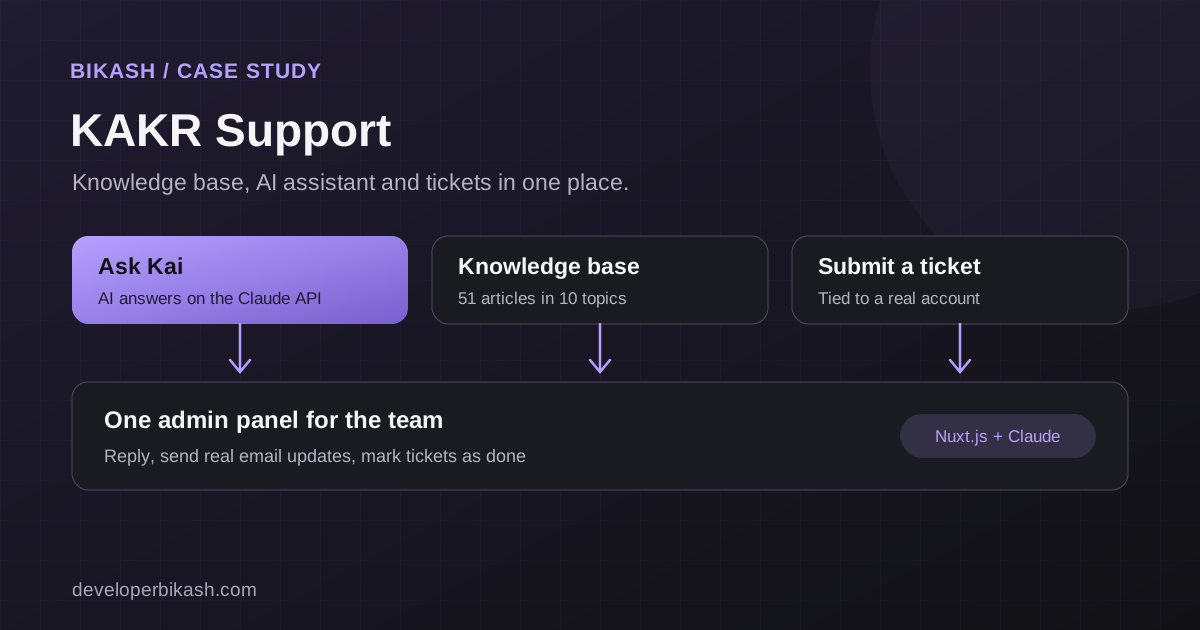
I built KAKR Support end to end: a Nuxt support center that brings a 51-article knowledge base, an AI assistant called Kai and a full ticketing system with an admin panel into one place. It is live at support.kakr.ai, serving the KAKR and PTERI identity platform.
At a glance
| Item | Detail |
|---|---|
| Client | KAKR Labs, an identity, MFA and AI agent security platform |
| What I built | Support home, knowledge base, AI assistant, ticketing system, admin panel, email updates |
| Stack | Nuxt.js, Claude API |
| Status | Live at support.kakr.ai |
The problem: very different questions, one front door
KAKR serves developers and account holders. A developer chasing an API error, someone setting up MFA and a user locked out of their account all arrive at the same place, with different words for what they need.
The support center had to answer the easy questions instantly, guide people to the right article when they did not know what to search for, and hand everything else to a person without losing context. It also had to give the KAKR team one place to work through requests.
What I built
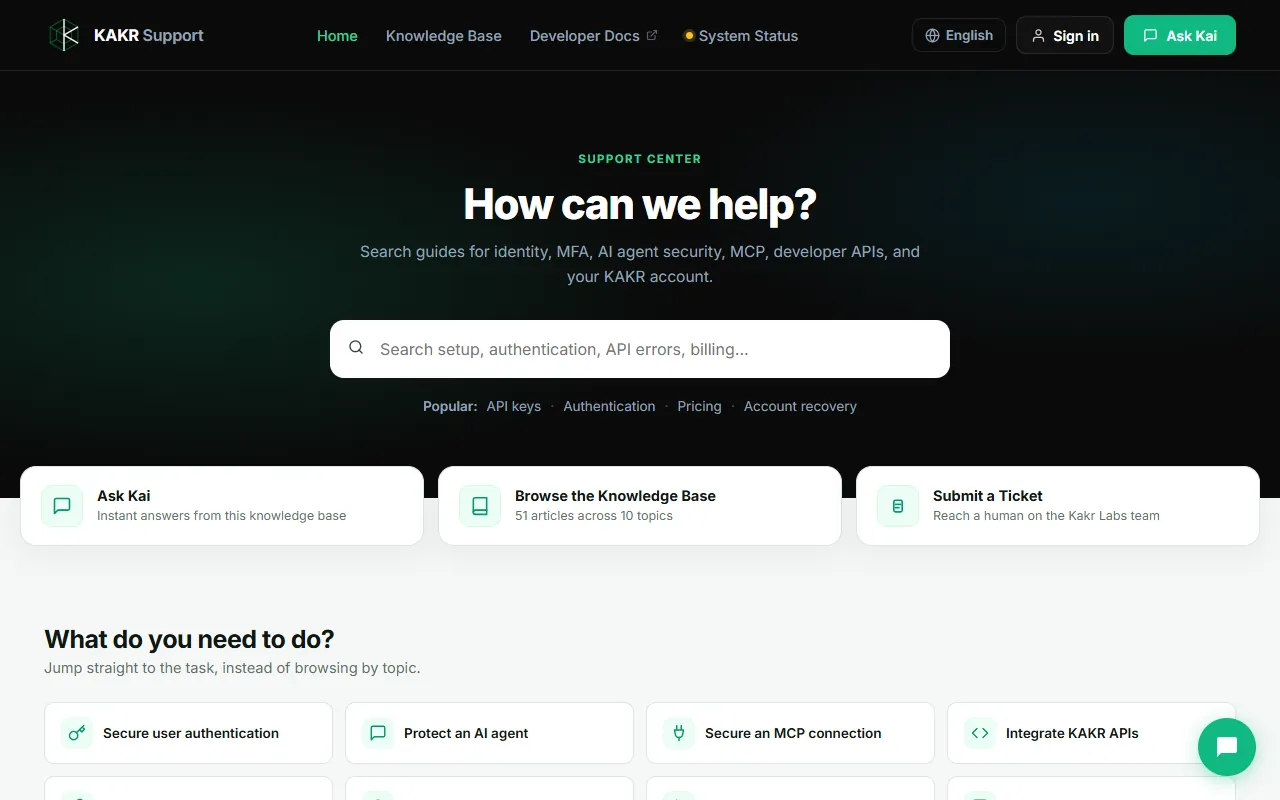
- Support home. A search box with popular topics, three routes side by side (Ask Kai, Browse the Knowledge Base, Submit a Ticket) and task shortcuts such as securing authentication, protecting an AI agent and integrating the APIs.
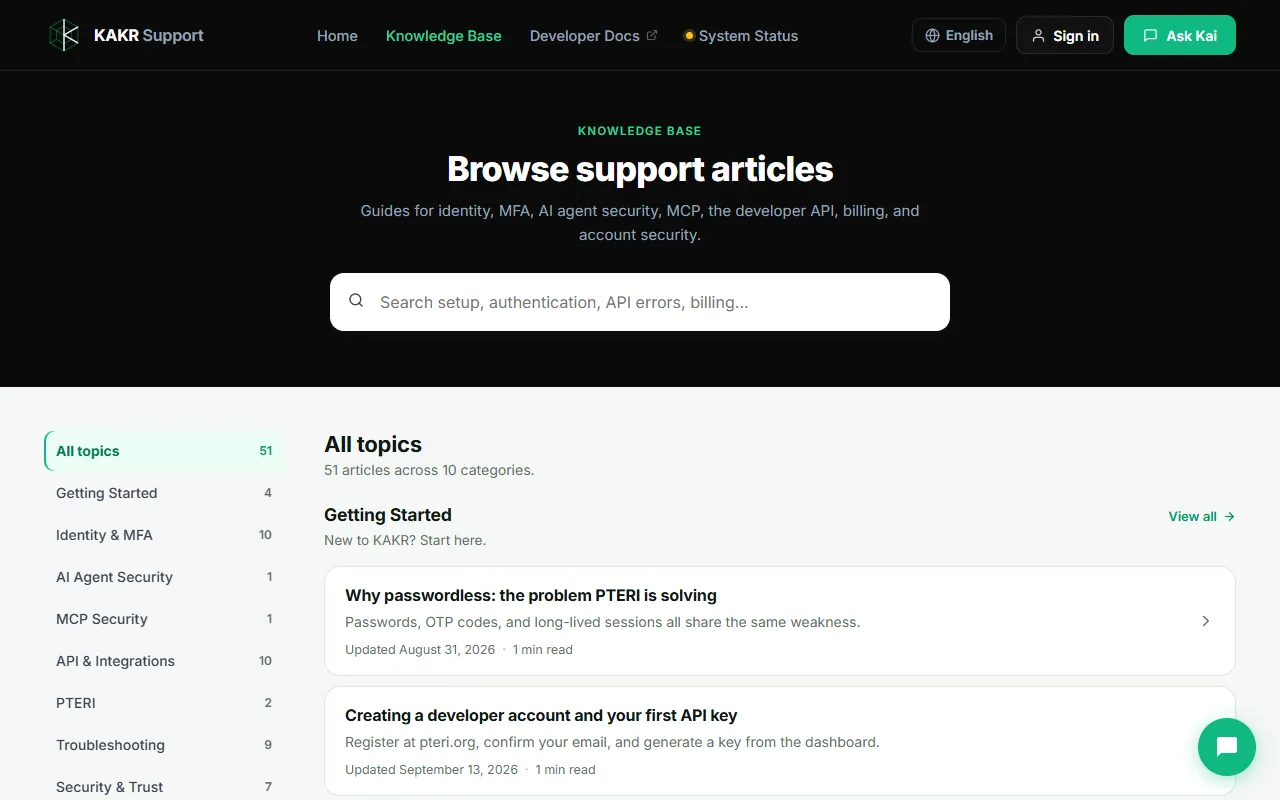
- Knowledge base. 51 articles across 10 categories, each with its article count, last-updated date and reading time, plus links to developer docs and system status.
- Kai, the AI assistant. Built on the Claude API and available from every page, it gives instant answers drawn from the knowledge base.
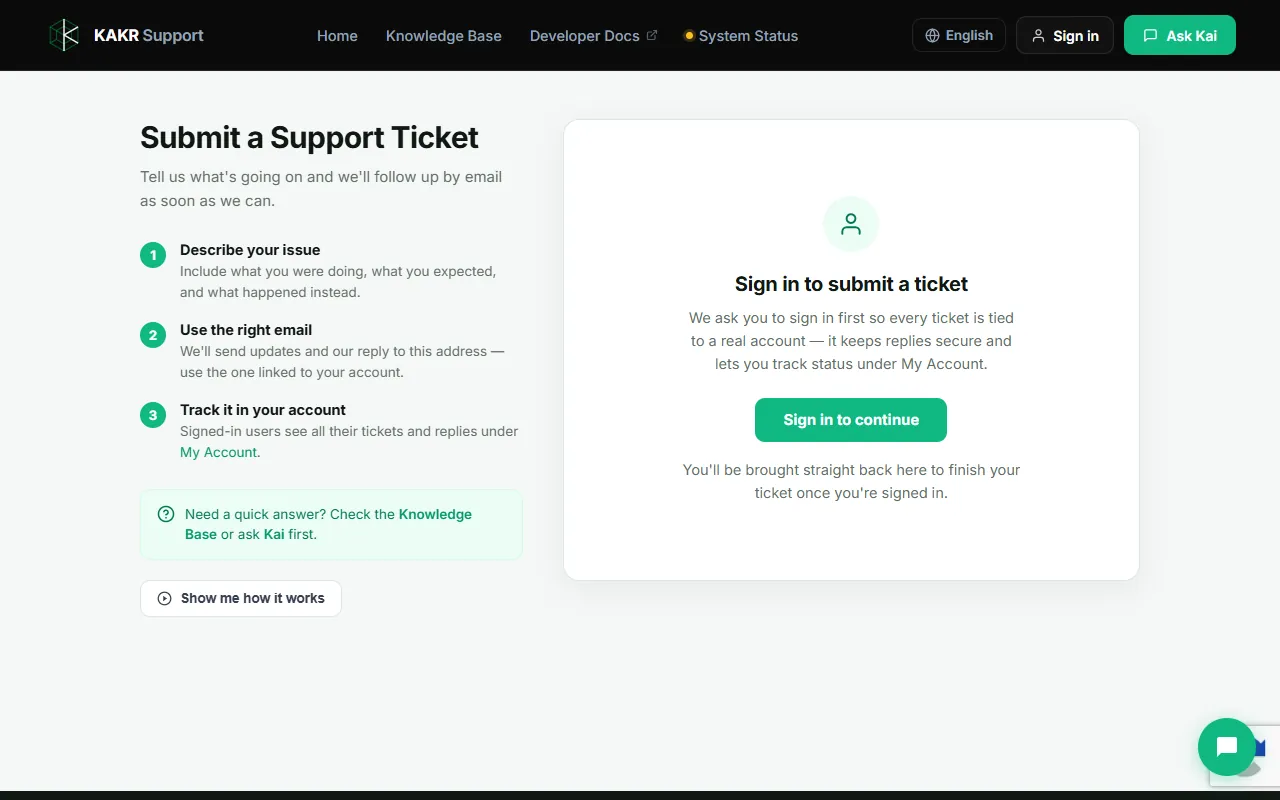
- Ticketing system. Visitors sign in before opening a ticket, so every request is tied to a real account, and they can track status and replies under My Account.
- Admin panel. The team reads and replies to tickets, sends real email updates to the customer, and marks tickets as done.
- The details. A language switcher, system status in the header, and a guided "how it works" tour on the ticket page.
Decisions that made it work
Ground the assistant in published articles
Kai answers from the knowledge base rather than from general knowledge. That keeps answers consistent with what the team has approved, and it means improving an article also improves the assistant. I explain the approach, and what it costs, in my guide to AI chatbots for customer support.
Offer tasks, not just topics
Topic names like "Identity & MFA" suit people who know the product. Task shortcuts like "Secure user authentication" suit everyone else. Showing both lets a first-time visitor and an experienced developer each find their way in one click.
Tie every ticket to an account
Requiring sign-in before a ticket means the team always knows who is asking and can see their account context. The customer gets a history of every ticket and reply, instead of a trail of separate emails.
One workflow for the team
Replies, email updates and closing a ticket all happen in the same admin panel. The team works from one queue, and customers hear back by email without anyone copying messages between tools.
The result
The support center is live at support.kakr.ai. From any page a KAKR customer can find an answer, ask Kai or reach a person, and every ticket carries its account and full history. The knowledge base is organized so new articles have an obvious home, and each one also makes Kai more useful.
Could this work for your product?
This setup fits a product where customers ask the same questions often, need answers outside office hours, and sometimes need a person. A custom AI support assistant with human handoff starts at $4,000 with me; a complete support center like this one, with a knowledge base, ticketing and an admin panel, is scoped as a larger project. See my AI development service, try the MVP cost calculator, or tell me about your support workload. You can also book a 30-minute call.