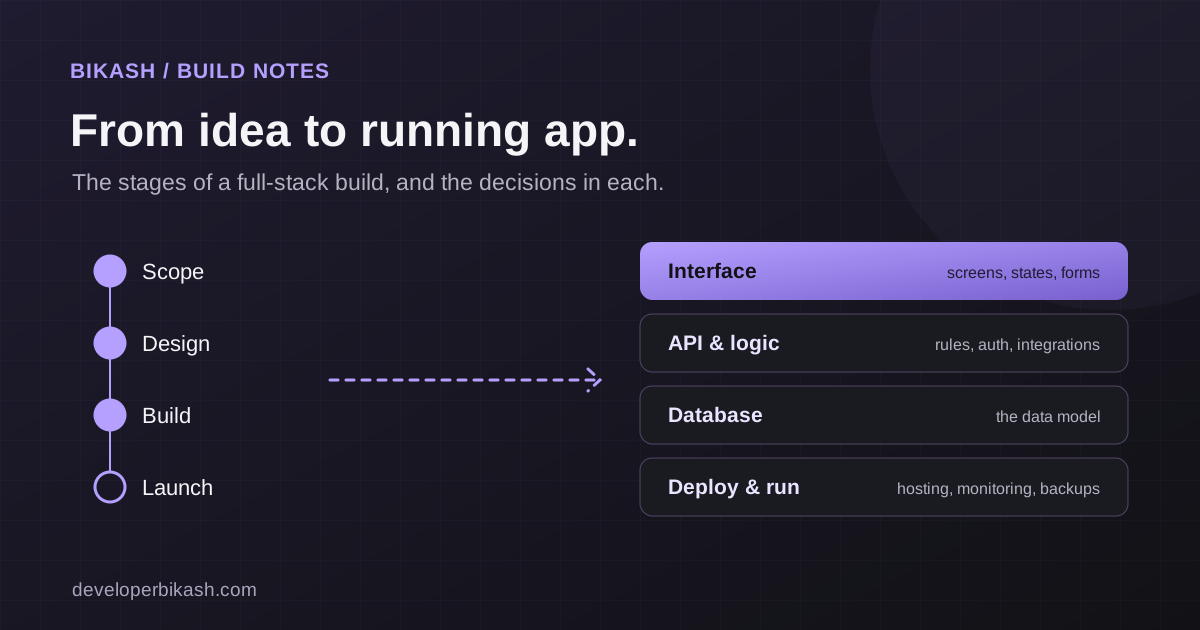
To build a full-stack web app, you move through a set of stages: define a narrow first release, pick a stack, design the main screens, build the frontend and backend, connect outside services, test with real roles, then launch and hand over. As a founder you don't need to write the code, but you do need to make the product decisions at each stage. Those decisions shape the cost and timeline more than any framework does.
This guide is for founders and business owners planning a web app and deciding who should build it. I'll explain what happens at each stage, what your developer needs from you, and where projects usually go wrong.
What "full-stack" means for your project
A full-stack web app has two halves. The frontend is what people see and click in the browser. The backend is the part they don't see: the database, the business rules, user accounts, permissions and connections to other services such as payments or email.
The phrase matters when you hire. A full-stack developer can work on both halves, so one person can own the whole product from data model to screens. That usually means fewer handoffs and fewer gaps between "the design" and "the API". On larger products, the same work is split across several specialists.
Stage 1: Define the first release
Everything starts with scope. A useful first release solves one problem for one type of user, and solves it completely. Before any design work, write down:
- Who the first user is, in one sentence.
- The main task they come to do, from start to finish.
- The records involved, such as customers, orders, bookings or tickets.
- The other people involved, such as admins, staff or vendors, and what each can see and do.
- What happens outside the app today, in spreadsheets, email or phone calls.
Then cut. Every extra user type or integration adds real work, because an app with customers, vendors and admins is close to three apps sharing one database. Put the rest in a phase-two list. I explain how scope drives budget in how much an MVP costs in 2026, and how it drives the schedule in how long it takes to build an app.
Your decision here: what is in version one, and what can wait. A good developer will push back on your list. If someone agrees to build everything without questions, they haven't thought about it yet.
Stage 2: Choose the stack
The stack is the set of technologies the app is built with: a frontend framework, a backend language, a database and a hosting setup. For most first web apps, any mature, widely used option will work. What matters more is whether it fits your product's needs, such as search visibility, real-time features or AI, and whether you can find developers to maintain it later.
One early question is whether you need a custom app at all. If the project is mostly publishing content, read WordPress or a custom web app first. If you do need custom software, I've written a separate guide on how to choose a tech stack for your startup.
Your decision here: agree on the stack in writing, with a reason for each part, and make sure the code lives in a repository you own.
Stage 3: Design the main screens
Before development, the main journey should exist as designs or a clickable prototype. Moving a button in a design file takes minutes. Moving it after the screen is built, tested and connected to data takes far longer.
Design for a web app covers more than the attractive screens. Ask to see:
- The full main journey, from sign-up to the task being done.
- Empty states, such as a new account with no data yet.
- Error and loading states, such as a failed payment or a slow search.
- Mobile and desktop layouts, if both matter.
- What each role sees, if admins and customers use the same app.
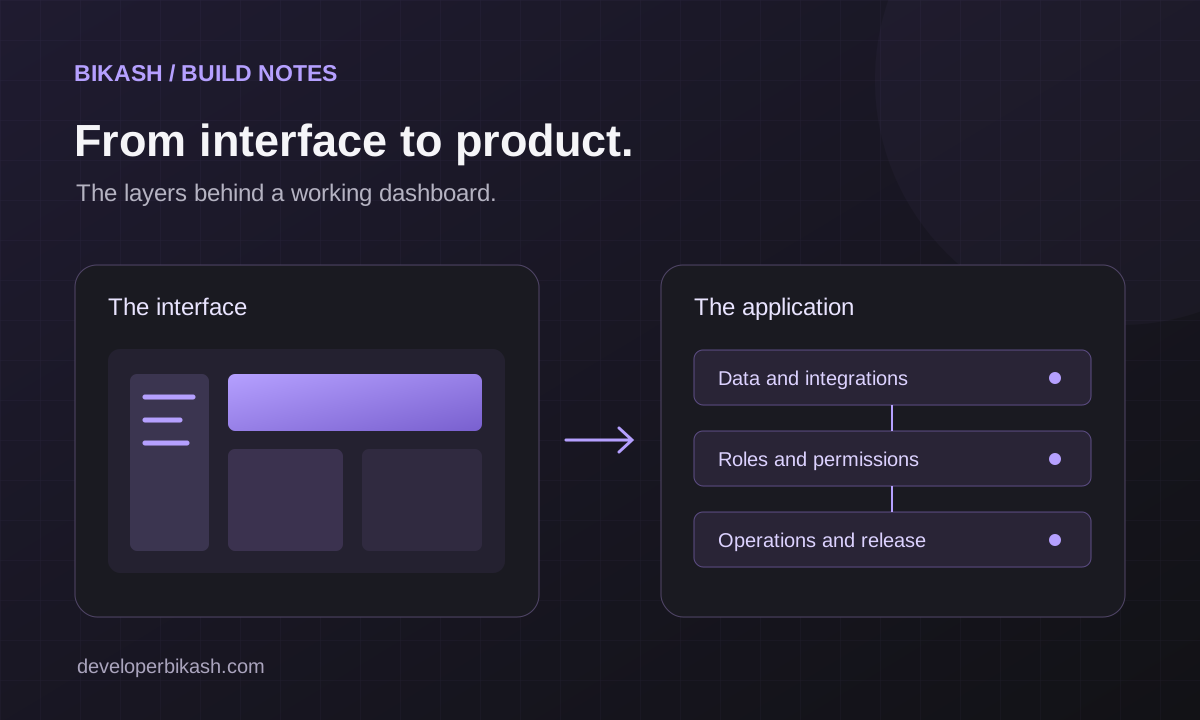
If you are starting from a dashboard template, the design is partly done, but the data, rules and connections behind each screen still have to be built.
Your decision here: sign off on the main journey before building starts. Changes are still possible later, but they cost more.
Stage 4: Build the frontend and backend
This is the longest stage, and the one founders see least of. The frontend work turns designs into real screens with forms, navigation and feedback. The backend work defines the data, the rules and the access control behind those screens.
A few backend decisions need your input, even if you are not technical:
- Who can see and change what. Write a simple role list: for each role, which records it can view, create, edit and delete. The server must enforce these rules on every request; hiding a button is not security.
- What a valid record looks like: which fields are required, what must be unique and what happens to related records when something is deleted.
- How people log in: email and password, Google sign-in, magic links, or company single sign-on. Established authentication services are usually safer and faster than building login from scratch.
Ask for a working demo every week or two. Screenshots and status reports are easy to produce; working software you can click through is the honest measure of progress.
Stage 5: Connect payments, email and AI
Most web apps rely on outside services: payments, transactional email, file storage, maps, analytics or a CRM. Each integration needs an owner for the account, test credentials, a description of what data passes through, and a plan for when that service is down.
AI features belong here too, and they should earn their place. Natural-language search over your own content, help with drafting, or a support assistant that hands over to a person can all be useful. An AI feature added only for the pitch deck adds cost and ongoing usage bills.
KAKR Support, a full support system I built, shows how these pieces fit together in one product: a Nuxt frontend and searchable knowledge base, support tickets managed from an admin panel, real email sending, and an AI assistant built on the Claude API.
Your decision here: which integrations are needed for launch, and who owns each account. Accounts for payments, email and hosting should be in your company's name.
Stage 6: Test with real roles and real data
Testing is where a demo becomes a product. Each important journey should be checked with every role, on the devices your users have, with realistic data. That includes the unhappy paths: a double submit, an expired session, a failed payment, a record someone else changed a moment ago.
You should take part in this. Ask a few people who match your first user to try the app while you watch, without help. You'll learn more from that than from any checklist.
Stage 7: Launch and hand over
Launching means production hosting, a real domain, backups, error monitoring and production keys for each service, stored securely on the server. Before launch, confirm:
- Sample and demo accounts are removed.
- Backups run, and someone has tested restoring one.
- Errors reach a person, not just a log file nobody reads.
- Public pages have titles, descriptions and fast load times if search traffic matters.
- You have admin access to the code repository, hosting, domain and every third-party account.
- Setup and deployment are documented so another developer could take over.
After launch, plan for updates, security patches, small fixes and the phase-two list. Agree on how support requests reach your developer and how quickly they get answered.
Who should build your full-stack web app
You have three realistic options: an experienced freelance full-stack developer, an agency, or an in-house team. A single developer works well for a focused first release where speed and direct communication matter. An agency makes more sense when a funded product needs several people working in parallel. I compare the three in freelance developer vs agency. Whichever you choose, judge them on live products they have shipped and how clearly they explain trade-offs to you.
Frequently asked questions
How long does it take to build a full-stack web app?
It depends mostly on the number of user roles, integrations and screens in the first release. A focused MVP is far quicker than a product with several roles and many integrations. See how long it takes to build an app for what affects the schedule.
How much does a web app cost to build?
Cost follows scope, so the same questions apply. My focused MVP builds start at $8,000 and usually take 6 to 10 weeks; I break down the wider market in MVP development cost in 2026.
Do I need to be technical to build a web app?
No. You need to be clear about the user, the main task, the roles and what launch means. A good developer turns those into technical decisions and explains the trade-offs in plain English.
Do I need AI features in my first version?
Only if they solve a specific problem for your first users. Many products launch without AI and add it once they know where users get stuck.
If you have an idea for a web app and want a developer who will help you scope it, build it and hand it over properly, take a look at my MVP and web app development service. Then tell me about your project, or book a 30-minute call.